
Here is another tutorial on How to Add Static Facebook Pop out like Box with Smooth Jquery Hover Effect to Blogger (Blogspot) Blog. Facebook pop out like box widget is a cool widget and it loads faster than the common Facebook like box. A demo of it is at the right side of this blog. It can only be visible when you move your mouse over the plate.
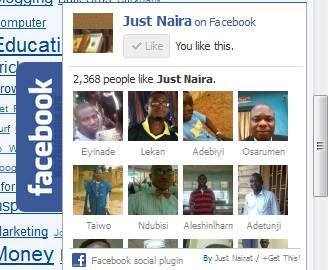
You can simple add the static Facebook pop out like box with smooth jquery hover effect to your blogger blog with a click of a mouse. Below are the instructions to make the widget work on your blog.
How to Add Static Facebook Pop Out Like Box
You shall be going through two simple steps to get this widget installed.
1st Step: Jquery JavaScript Plugin
1. You need to first add a Jquery JavaScript Plugin to your blog (if your blog already have the jquery plugin, you don’t need to add it again).
2. To add the jquery plugin, login to your Blogger account, click Template and then click Edit Html.
3. Search for the closing head tag i.e. </head> and paste the code below before the closing head tag.
<script src="https://ajax.googleapis.com/ajax/libs/jquery/1.6.1/jquery.min.js" type="text/javascript"></script>
2nd Step: Adding Widget Code to Blogger
1. You need to replace the Facebook fan page URL in the box below with yours
2. Then click on Add To Blogger button to add it to the static Facebook pop out like box widget to your blog.
