
Whenever a website/blog is down, so many audience are lose out and most times webmasters /bloggers don’t know their website/blog is down since a site could go down for different reasons, so the best way to be notified quickly whenever your site is down is via SMS notification.

There is a tool that helps monitor website and blog up-time and down-time. This website Monitor HD is free and it can be used to monitor many sites at a time. So for this tool to work, a Google Account will be needed. To get alerts whenever your site is down, you will need to follow the steps below:
Step 1: Register your mobile phone with Google Calendar
Step2: Site Monitoring Set up.
Register your mobile phone with Google Calendar
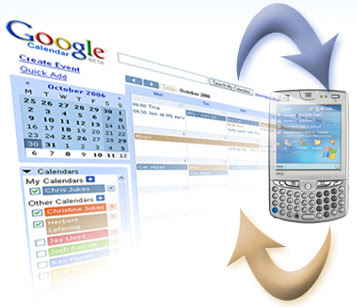
You need to register your phone number with Google Calendar to receive texts. Therefore, to register your number,
==> Sign into Google Calendar, and click on the cog icon at the top. Click Calendar Settings.
==> Click on Mobile Setup, and then choose your country.
==> Enter your phone number, and choose your carrier. If available, you will be sent a verification code on your mobile. Enter that code in the Verification Code field, and click Finish Setup. Your mobile number has now been set up.
Site Monitoring Set Up
==> Click here and get a sheet, it will look like the image you are seeing below:
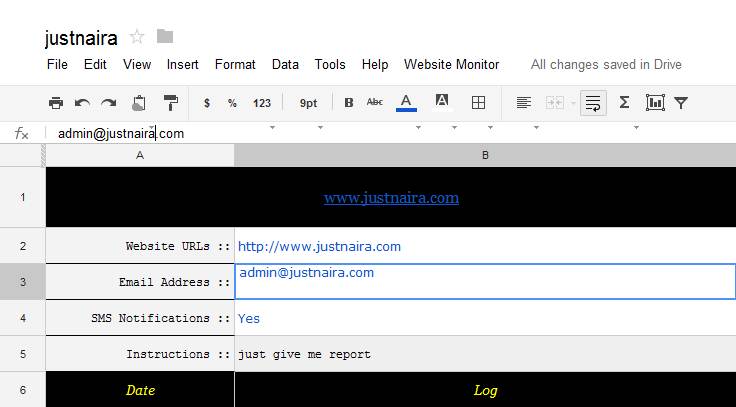
==> Now go to file and make copy of it.
==> You’ll see a new Website Monitor menu in the toolbar. Click Initialize and you’ll get a pop-up asking for authorization. Just click Yes.
==> Put your Website URL and email address, you can put multiple URLs by adding comma.
==>Go to the Website Monitor menu again and choose “Start Monitoring”.
What do you think about this tool?
